
Overview
Charity Bridge Fund provides nonprofit representatives with tools to monitor donations received through the platform. Once your charity is active and a project has received donations, you can view transaction details directly from your account.
This article explains how to access the Donations feature, what information is available, and how to download donation reports for recordkeeping.
When Donations Appear in Your Dashboard
Before donations appear in your account, the following conditions must be met:
At least one project must be published.
A donation must have been made to your organization through the platform.
Once these conditions are met, donation information will begin appearing in the Donations section of your charity dashboard.
How to Access the Donations History
To view your donation activity:
Go to My Account and sign in.
From the Your Charities section, select the charity you want to manage and enter.
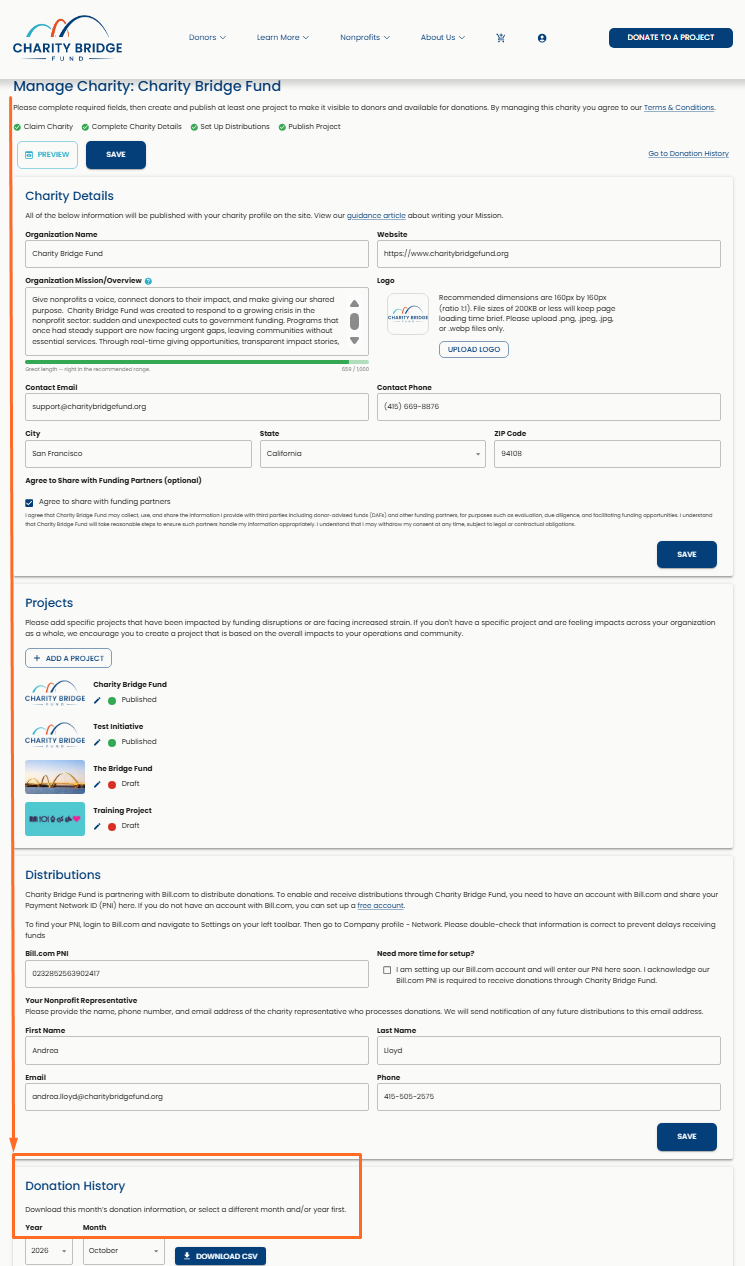
On the charity management page, scroll down until you reach the Donation History panel.
Use the panel to view donation activity, filter by month and year, and download a CSV report.
This page displays a report of all donation activity associated with your charity.
What You Can See on the Donations History Panel
The Donation History panel gives you a detailed view of donations made to your organization. Each record may include:
Date the donation was made
Donation amount
Match amount when applicable
The transaction fee associated with the payment
Donor name and email address when shared
Message, if the donor included one
Transaction status
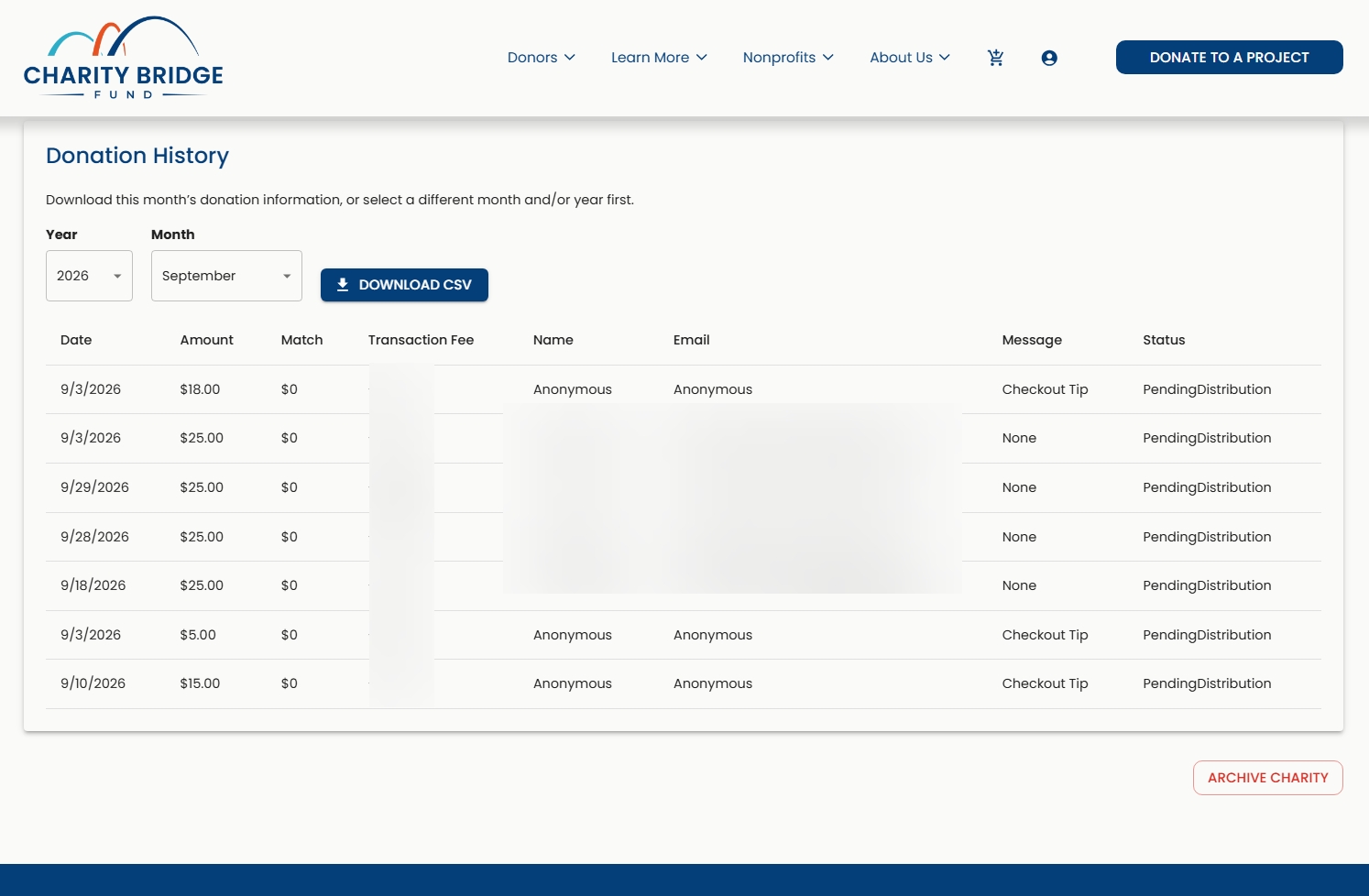
If a donor chooses not to share their information, their name and email may appear as Anonymous.
This information allows nonprofit representatives to track contributions and understand when funds are moving through the distribution process.
Filtering and Downloading Donation Reports
Use the Year and Month filters at the top of the Donation History panel to narrow the donations shown for a specific reporting period. You can also select Download CSV to export the donation records for the selected period. The CSV can be used for accounting, reporting, reconciliation, or internal recordkeeping.
Frequently Asked Questions (FAQ)
Why don’t I see any donations in my dashboard?
Donations will appear after at least one project is published and a donation has been made through Charity Bridge Fund.
Can I see donor contact information?
Donor names and email addresses will appear when the donor chooses to share that information during checkout. If not, the donor may appear as Anonymous.
What does “Pending Distribution” mean?
This status means the donation has been processed but has not yet been included in a distribution to your organization.
Can I see matching funds?
Yes. If a donation includes a match, the matching amount will appear in the Match field.
Can I export donation data?
Yes. Use Download CSV in the Donation History panel to export donation records for the selected reporting period.
Can I filter donations by date?
Yes. Use the Year and Month filters at the top of the Donation History panel.
Where do I find the Donation History panel?
Log in to your account, select your charity from Your Charities, and scroll down on the charity management page until you reach the Donation History panel.
The Donation History panel gives nonprofit representatives a clear view of contributions received through Charity Bridge Fund. By reviewing transaction details, monitoring distribution status, and exporting records as needed, your organization can keep donation reporting and reconciliation organized.