
Overview
Publishing is what moves your work from draft status to a public, active presence on Charity Bridge Fund. But publishing does not work the same way for a charity profile and for a project. This guide explains the difference, how to know when something is ready to go live, and what unpublishing means if a project or profile needs to be removed from public view.
Understand the two types of publishing
Your charity profile creates the foundation, but your projects are what bring funding opportunities to life. A nonprofit can complete its main profile and still need a published project before donations can be received.
Charity publishing
Publishing a charity profile makes your organization visible and searchable on the platform. It signals that your main organization details are complete enough to be presented publicly.
Project publishing
Publishing a project activates a specific fundraising story, campaign, or funding need. Projects are what donors actually support, so a complete charity profile alone is not enough to receive donations.
How publishing works
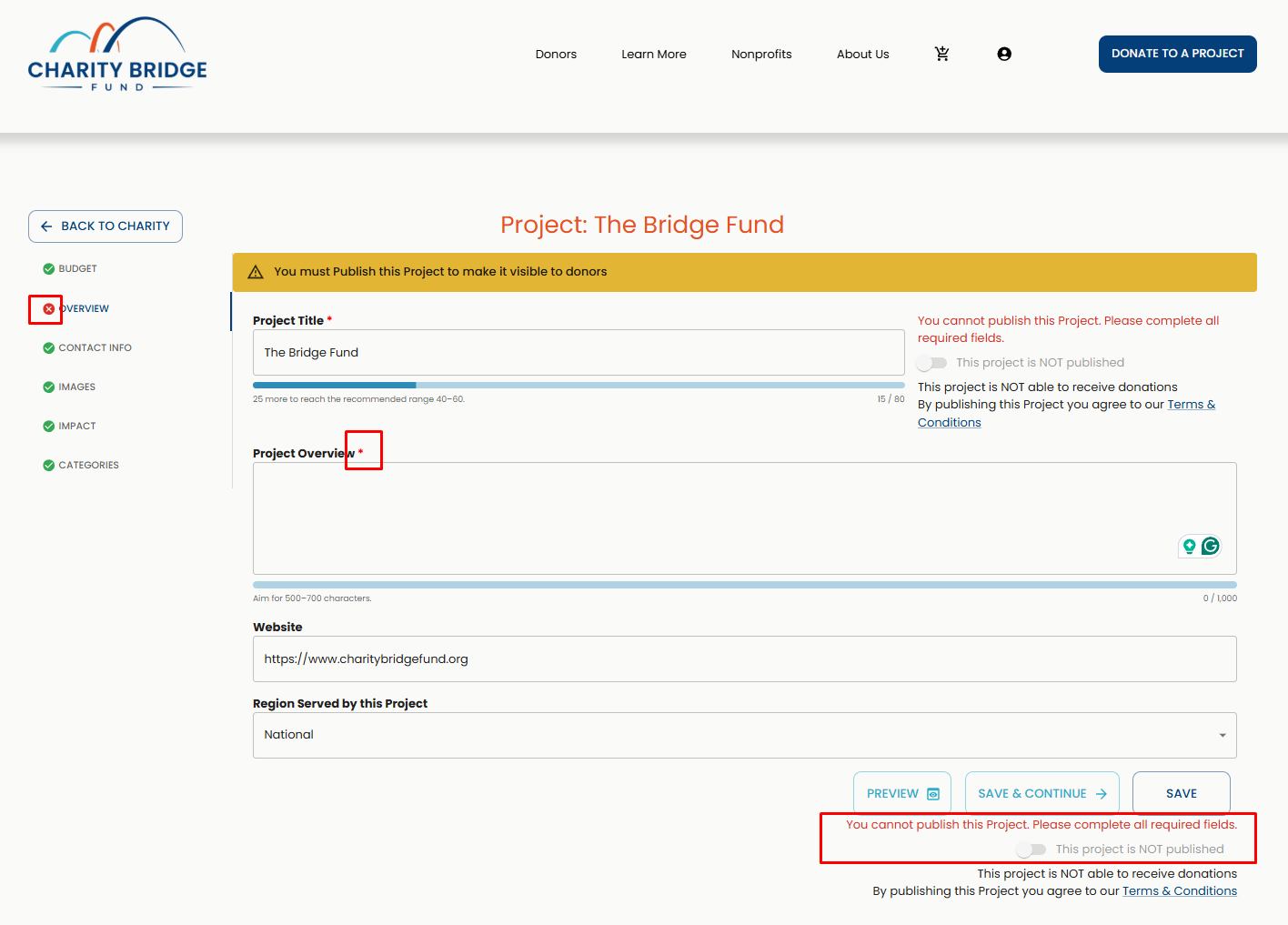
Publishing is tied to completion. As users move through their charity profile and project setup, the platform uses visual indicators to show what is still missing. Red marks point to incomplete sections, green marks show completed ones, asterisks identify required fields, and character bars help users stay within recommended field length. These cues are there to guide completion before an item can go live.
Publishing a charity profile
After you complete all required fields in your organization’s profile, the Publish button will become available in the bottom-right corner, below the Save & Continue buttons.
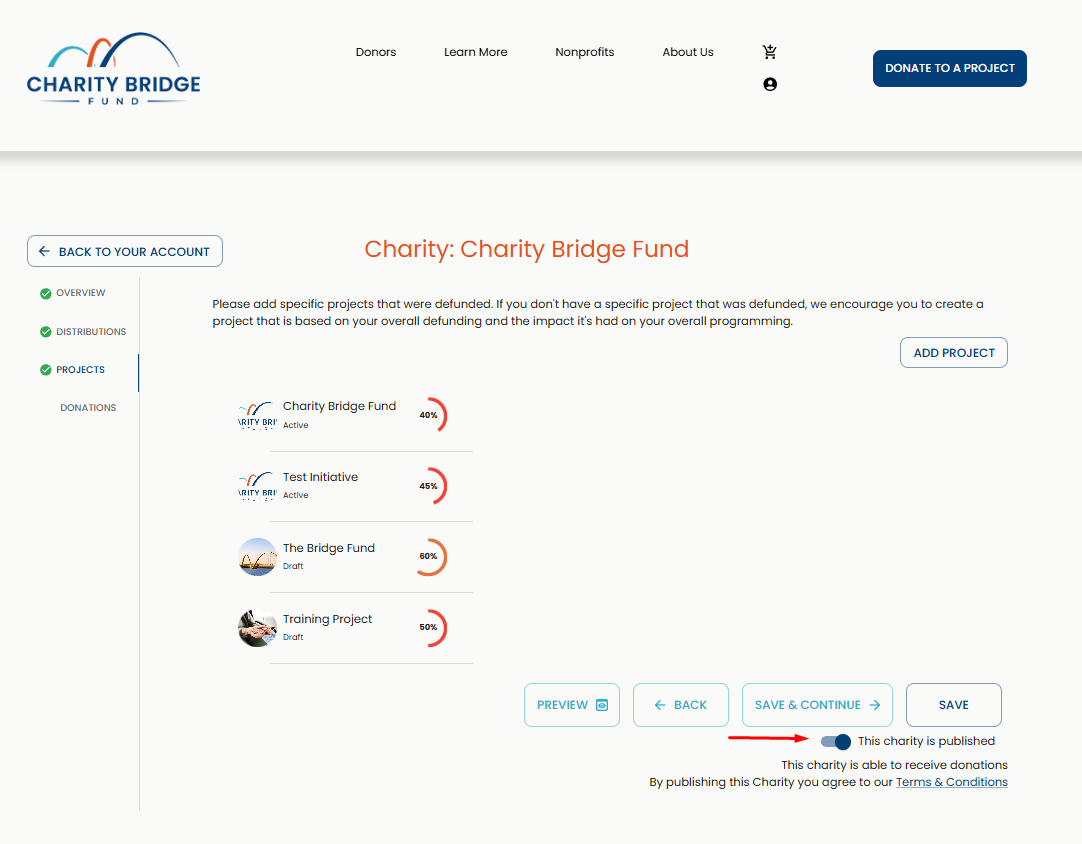
Complete each core section of the charity profile, including overview, distributions, categories, and any required details.
Watch the status indicators as you work. If a section still shows missing fields, the profile is not ready yet.
Make sure the content is publication-ready, not just technically complete. Contact details, mission language, and organization details should be clear and donor-facing.
Publish the charity once all required fields are complete and the profile is ready to be discovered.
Publishing a project
Project publishing begins after the charity has already been claimed and set up.
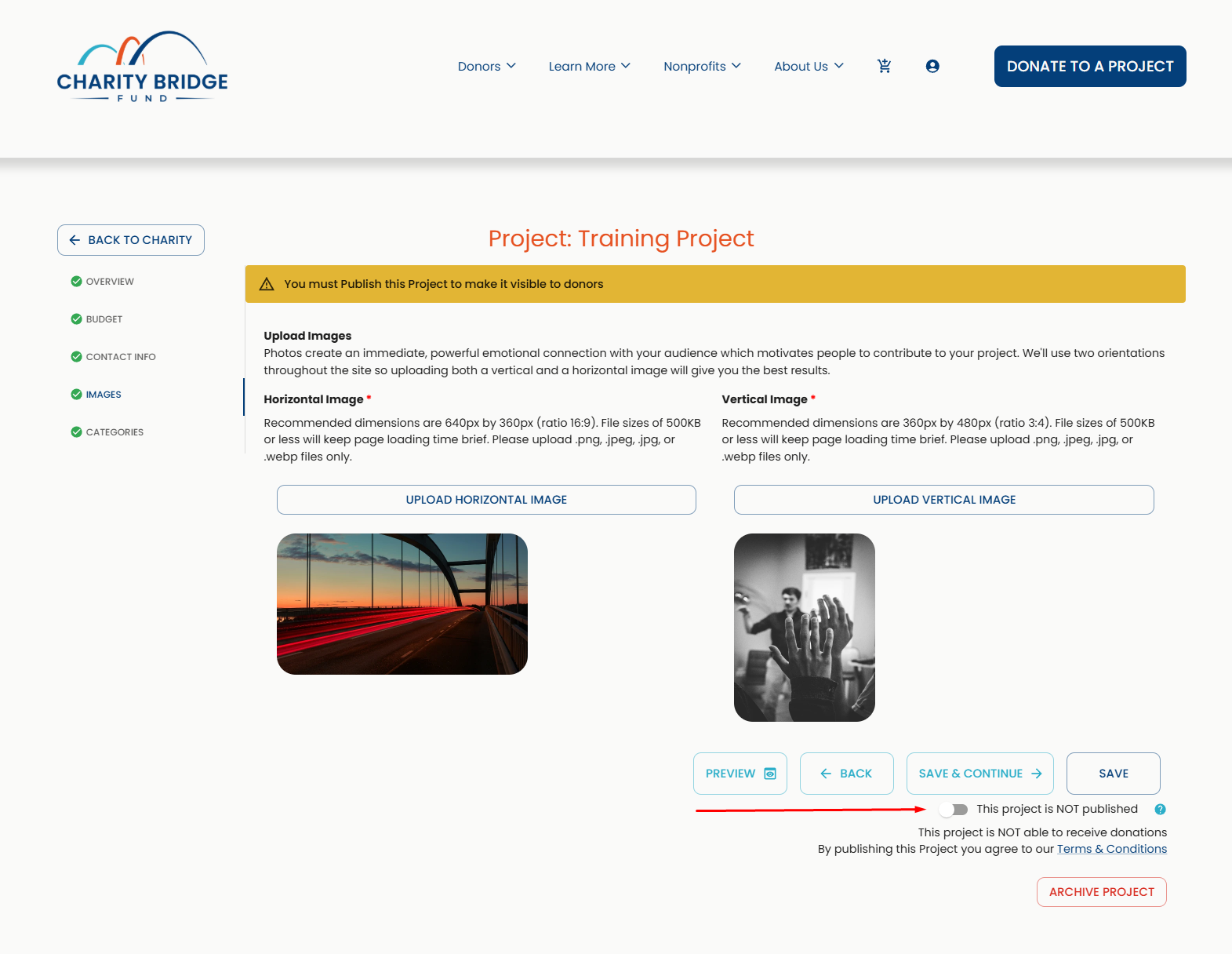
Go to the Projects section inside the charity profile.
Create the project and enter the required content, including budget, impact details, and supporting information.
Save the project as you work so your information is not lost.
Publish the project once the required fields are complete and the Publish option becomes available.
What happens after a project is published
Live and discoverable
Once published, the project can be seen by donors on the platform.
Ready for support
A published project becomes the vehicle through which donors can understand and support a specific need.
Still editable
Publishing does not lock the project permanently. It can still be updated and refined later, as long as changes are saved.
What unpublishing means
Although the content is removed from public view, related internal records, grant information, and account history may still be retained in the system as needed for verification, reporting, or platform operations.
Unpublishing removes the item from public view
When a project or profile is unpublished, it is no longer presented as an active public page on the site.
Unpublishing does not mean the setup never existed
The platform may still retain associated records, internal data, or grant-related context for account history, review, or reporting purposes.
Visibility and recordkeeping are different
A project can stop being visible to the public without all related operational information disappearing from the system.
When unpublishing may happen
Unpublishing may be appropriate when:
A project is no longer active
Federal funding has been restored
The information needs substantial revision before being made public
Required details are no longer accurate
The organization needs to pause visibility while updating content
A profile or project needs review before remaining live
Charity Bridge Fund may unpublish a profile or project if verification cannot be completed or if additional requested information is needed before the content can remain public
Before you unpublish
Before removing a project or profile from public view, users should review a few practical points:
Confirm whether the content needs a quick edit or a full unpublish
Make sure replacement information is ready if a revised version will go live later
Review whether the project contains an active fundraising context that should not disappear unexpectedly
Keep internal records or screenshots if the page may need to be restored or reviewed later
FAQ
Why is the Publish button greyed out?
This usually means one or more required fields are still incomplete. Review the profile or project carefully, look for status indicators and required fields, and complete any missing information before trying again.
My charity is published, but donations are not active. Why?
Publishing a charity profile does not activate donations by itself. Donations are tied to published projects, so at least one eligible project must also be published for donors to support it.
My project is saved, but it is not live. What does that mean?
Saving and publishing are separate actions. A project can be saved as a draft without being visible to donors until it is fully completed and published.
Can I edit a project after it has been published?
Yes. Published projects can still be updated. Just make sure the information stays accurate and complete as you make changes.
What is the difference between publishing a charity and publishing a project?
Publishing a charity makes the organization visible on the platform. Publishing a project activates a specific funding need or campaign that donors can discover and support.
Can my charity receive donations without a published project?
No. A published charity profile helps establish your organization’s presence, but donations happen through published projects.
Why can’t I publish my project yet?
The Publish option only becomes available once all required project information has been completed. If the button is not available, review the project for any missing required fields or incomplete sections.
What happens when a project is unpublished?
Unpublishing removes the project from public view. However, related internal records, grant context, and account history may still remain in the system for verification, reporting, or operational purposes.
Can Charity Bridge Fund unpublish a profile or project?
Yes. Charity Bridge Fund may unpublish or keep content from remaining public if verification cannot be completed or if additional requested information is needed before the content can stay live.
Does unpublishing delete the project completely?
No. Unpublishing affects public visibility, but it does not erase the project’s internal history or related records from the system.
Publishing and unpublishing are part of the normal lifecycle of managing content on Charity Bridge Fund. The key is understanding that a charity profile builds your organization’s presence, while a published project is what turns that presence into an active giving opportunity. When both are managed carefully, your content stays accurate, visible, and ready to support donor trust.