
Introduction
When you create a project, Charity Bridge Fund asks for additional context about the funding disruption affecting your organization, program, or community.
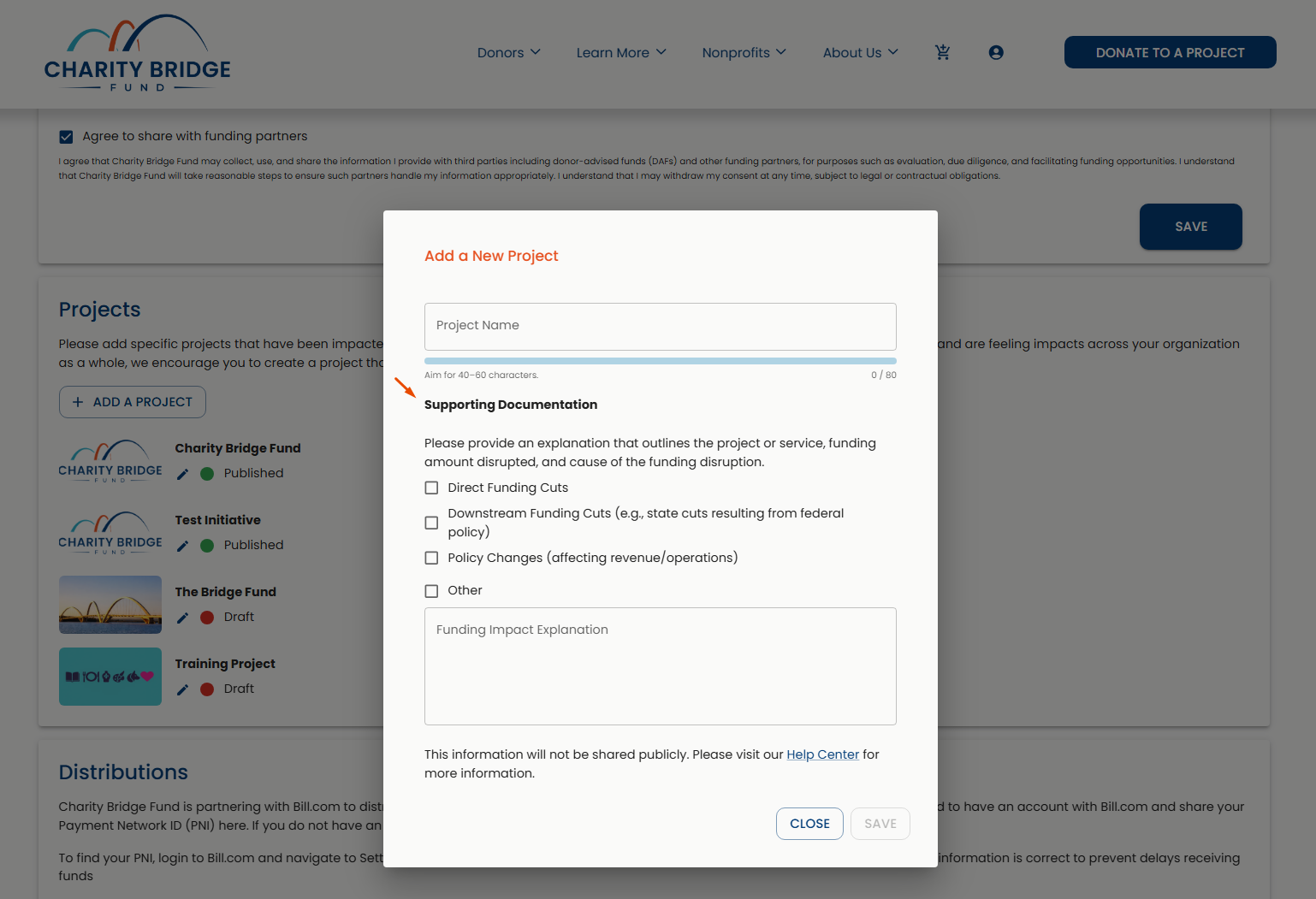
This information appears under Supporting Documentation in the Budget section of your project. It is not shown publicly on your project page. Instead, it helps Charity Bridge Fund better understand the circumstances behind the project and may provide useful context when connecting with funding partners.
Funding Impact Type
Select the option that best reflects the situation affecting your project.
Direct Funding Cuts
Use this option when funding your organization previously received or expected has been directly reduced, canceled, or discontinued.
Downstream Funding Cuts
Use this option when your organization is affected indirectly by funding cuts elsewhere, such as state or local funding changes resulting from broader federal policy.
Policy Changes
Use this option when a policy change affects your organization’s revenue, operations, services, or ability to carry out its work.
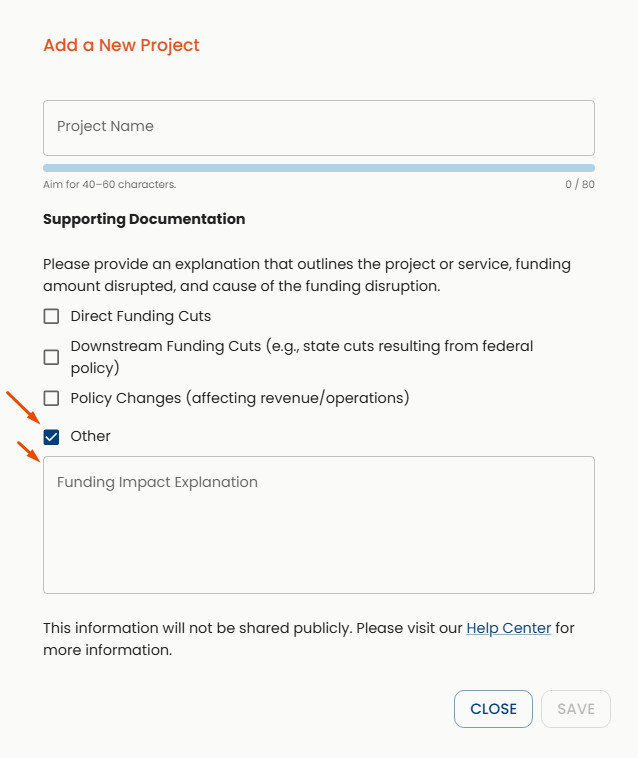
Other
Use this option when your situation does not fit the categories above. You can provide additional context in the Funding Impact Explanation field.
Funding Impact Explanation
The Funding Impact Explanation field is only used when Other is selected as the Funding Impact Type. Use it to briefly explain the funding situation and how it relates to your project.
Updating Your Supporting Documentation
The funding situation you described when creating your project may change over time.
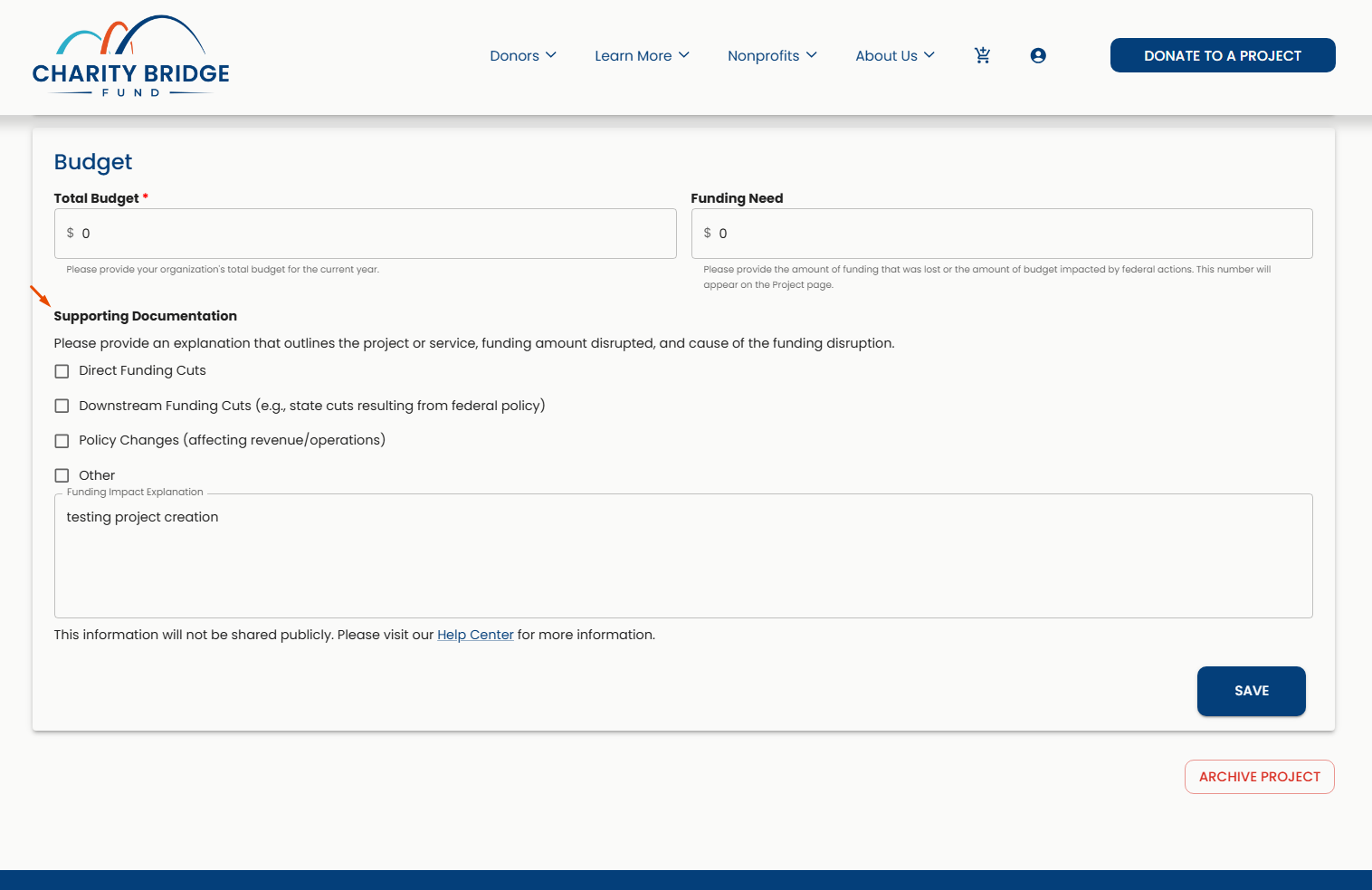
You can return to the Budget section of your project to review or update your Supporting Documentation, including the funding impact type and explanation.
FAQ
What is Supporting Documentation?
Supporting Documentation gives Charity Bridge Fund internal context about the funding circumstances connected to your project.
Is Supporting Documentation shown publicly?
No. This information is not displayed on your public project page.
What should I select for Funding Impact Type?
Choose the option that best matches your situation: Direct Funding Cuts, Downstream Funding Cuts, Policy Changes, or Other.
When should I use the Funding Impact Explanation field?
Use it only when Other is selected as the Funding Impact Type.
Can I update Supporting Documentation later?
Yes. You can return to the Budget section of your project and update this information if your situation changes.
Supporting Documentation gives Charity Bridge Fund additional context about the funding circumstances behind your project. If that situation changes, return to the Budget section to keep the information current.