
Overview
After creating or updating your charity profile or project, you may expect it to appear publicly right away. In some cases, a charity or project may not show publicly because it has not been published, required information is missing, the charity is still under review, or the project depends on another setup step being completed first.
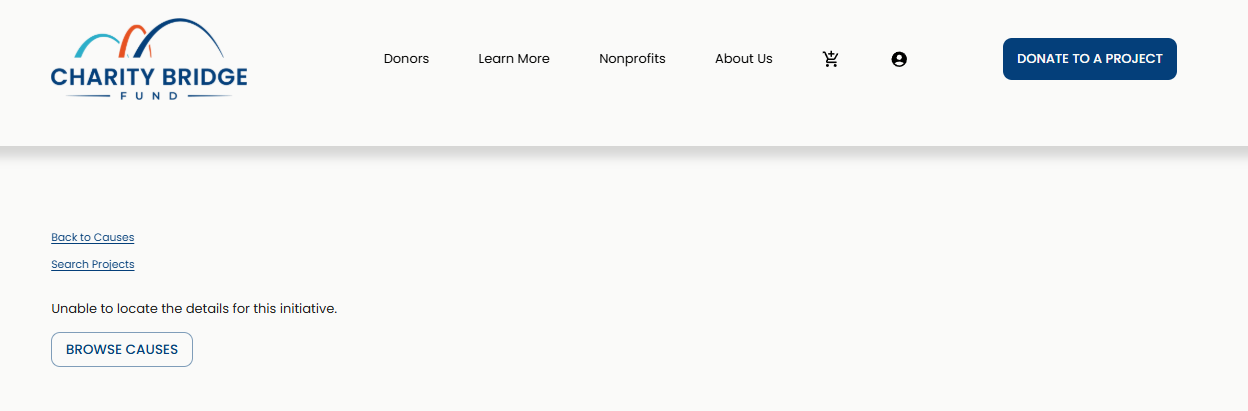
This article explains the most common reasons a charity or project may not be visible and what you can check before reaching out to the Charity Bridge Fund team.
First, Check Whether the Item Was Published
Creating or editing a charity profile or project does not always mean it is publicly visible. Make sure the charity or project has been published and that any required fields have been completed before checking the public website.
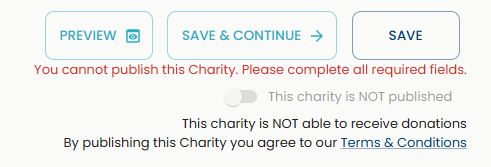
If you recently made changes, review the dashboard status first. The public page may not appear if the item is still saved as a draft, missing required information, or waiting for review.
Why Your Charity May Not Be Showing
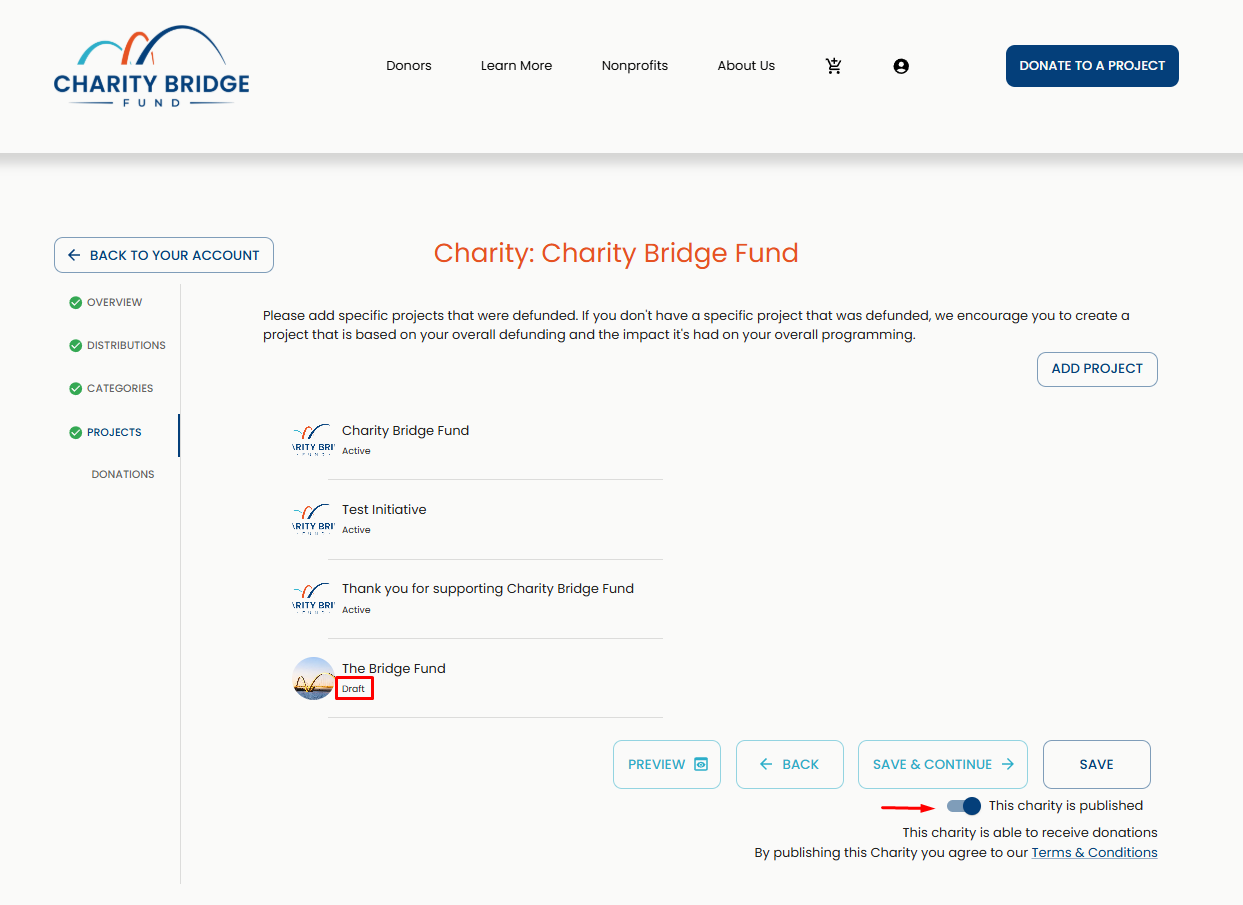
Your charity profile may not appear publicly if:
The charity profile has not been published
Required profile information is incomplete
Verification is still pending
The profile was unpublished for review or updates
The charity is connected to an account that has not completed the required setup steps
Recent changes have not been fully saved or published
A charity profile must be complete enough for donors to understand the organization, its mission, and its current needs. If key information is missing, visibility may be limited until the profile is updated.
Why Your Project May Not Be Showing
A project may not appear publicly if it has not been published, if the required project details are missing, or if the connected charity profile is not active. Projects depend on the charity profile they are connected to, so even a complete project may not appear if the charity itself is not published or still needs review.
Project visibility may also be affected if the project was paused, unpublished, or needs additional information before remaining public.
What to Check Before Contacting Support
Confirm that your charity profile is complete, active, and published.
Look for missing information in the charity profile or project editor.
Make sure the project itself has been published, not only saved.
If you have a public link, open it in a new browser tab or private window.
If the update was recent, refresh the page and confirm that your changes were saved.
If the issue continues, take note of the charity name, project name, account email, and any screenshots that show the problem.
When to Contact the Charity Bridge Fund Team
Contact the Charity Bridge Fund team if your charity or project appears complete and published in your dashboard but still does not appear publicly.
When reaching out, include the charity name, project name if applicable, the email address connected to your account, and a short description of what you expected to see. Screenshots are helpful if you are seeing an error, a missing page, or a status that does not match what appears on the public website. For additional help on taking screenshots, refer to this article.
FAQ
Why can’t I find my charity on the public website?
Your charity may not be published yet, may still be under review, or may be missing required information. Check your dashboard to confirm that the profile is complete and published.
Why isn’t my project showing after I created it?
Creating a project does not always make it public. The project must be completed and published. The connected charity profile may also need to be active and published before the project appears publicly.
Can my project be hidden even if my charity is active?
Yes. A charity profile and a project have separate setup and publishing steps. Your charity may be active while a project is still incomplete, unpublished, paused, or under review.
What should I send to support if something is missing?
Send the charity name, project name if applicable, the account email you are using, a description of the issue, and screenshots that show what you are seeing in your dashboard or on the public website.
Does publishing happen instantly?
In many cases, changes may appear quickly, but visibility can depend on saved changes, completed requirements, review status, and whether the correct item was published.
Most visibility issues can be resolved by checking whether the charity or project is complete, saved, and published. If everything looks correct in your dashboard but the public page still does not appear, the Charity Bridge Fund team can help review the issue.