
Overview
After creating your Charity Bridge Fund account, nonprofit representatives must claim their organization to access nonprofit management tools.
To submit a claim, you will enter the organization’s EIN and upload its IRS determination letter. Charity Bridge Fund will review the information and either approve, decline, or leave the claim pending if additional review is needed.
Once approved, the charity will appear as active in your account the next time you log in.
Before beginning the claim process, make sure you have the following:
The organization’s EIN (Tax ID)
An IRS-issued 501(c)(3) Determination Letter (PDF format)
How to Claim Your Charity
Follow these steps to submit your claim:
Step 1: Log in to Your Account
Go to My Account dashboard after logging in.
Step 2: Identify as a nonprofit representative
At the bottom of "Your profile", you'll see a checkbox labeled "I am a representative for a non-profit." Make sure it is checked. This opens up the nonprofit management tools (Your Charities).
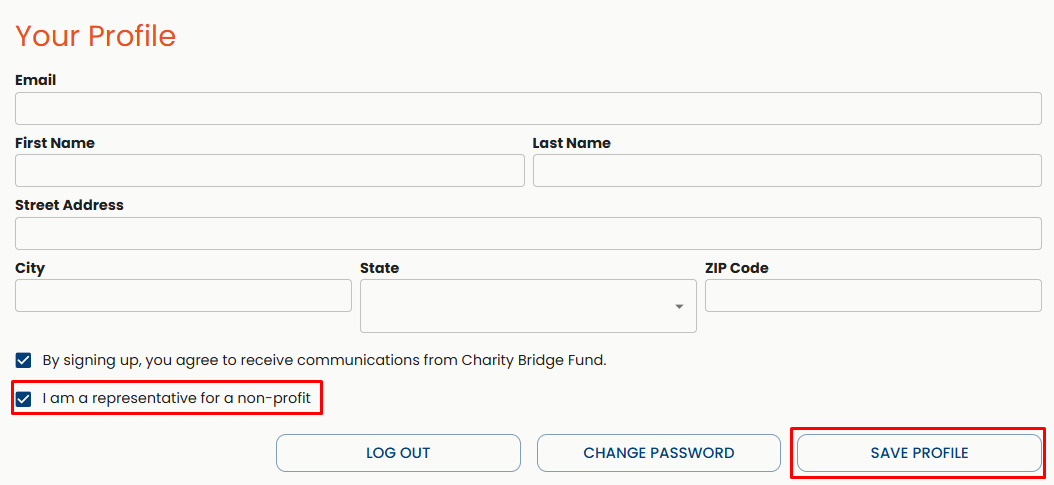
While there, make sure you check the opt-in for the newsletter and save your progress. This ensures you receive relevant updates, including funding opportunities, partnerships, and nonprofit resources.
Step 3: Select Claim a Charity
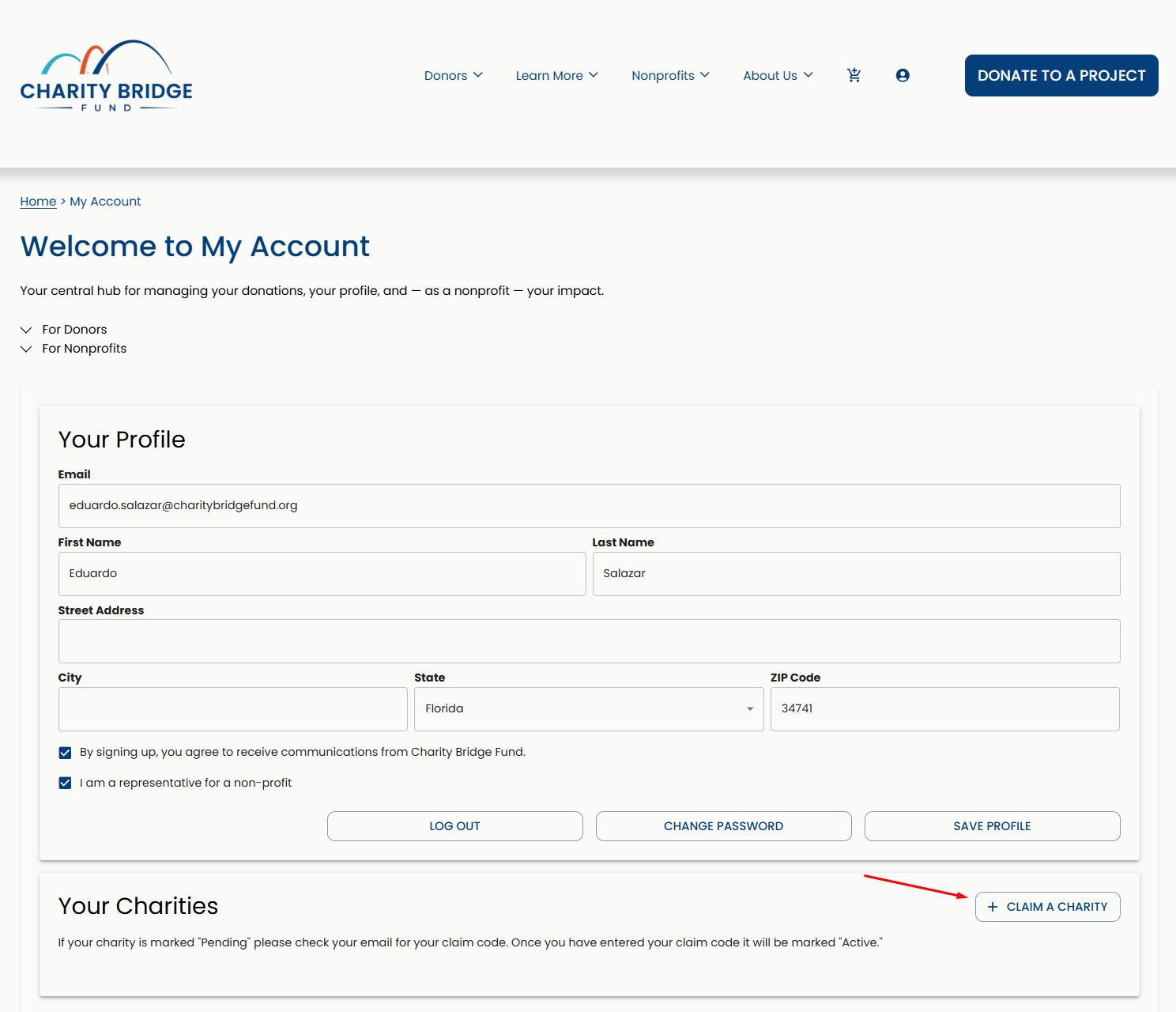
Under Your Charities, click on Claim a Charity.
Step 4: Upload the documentation
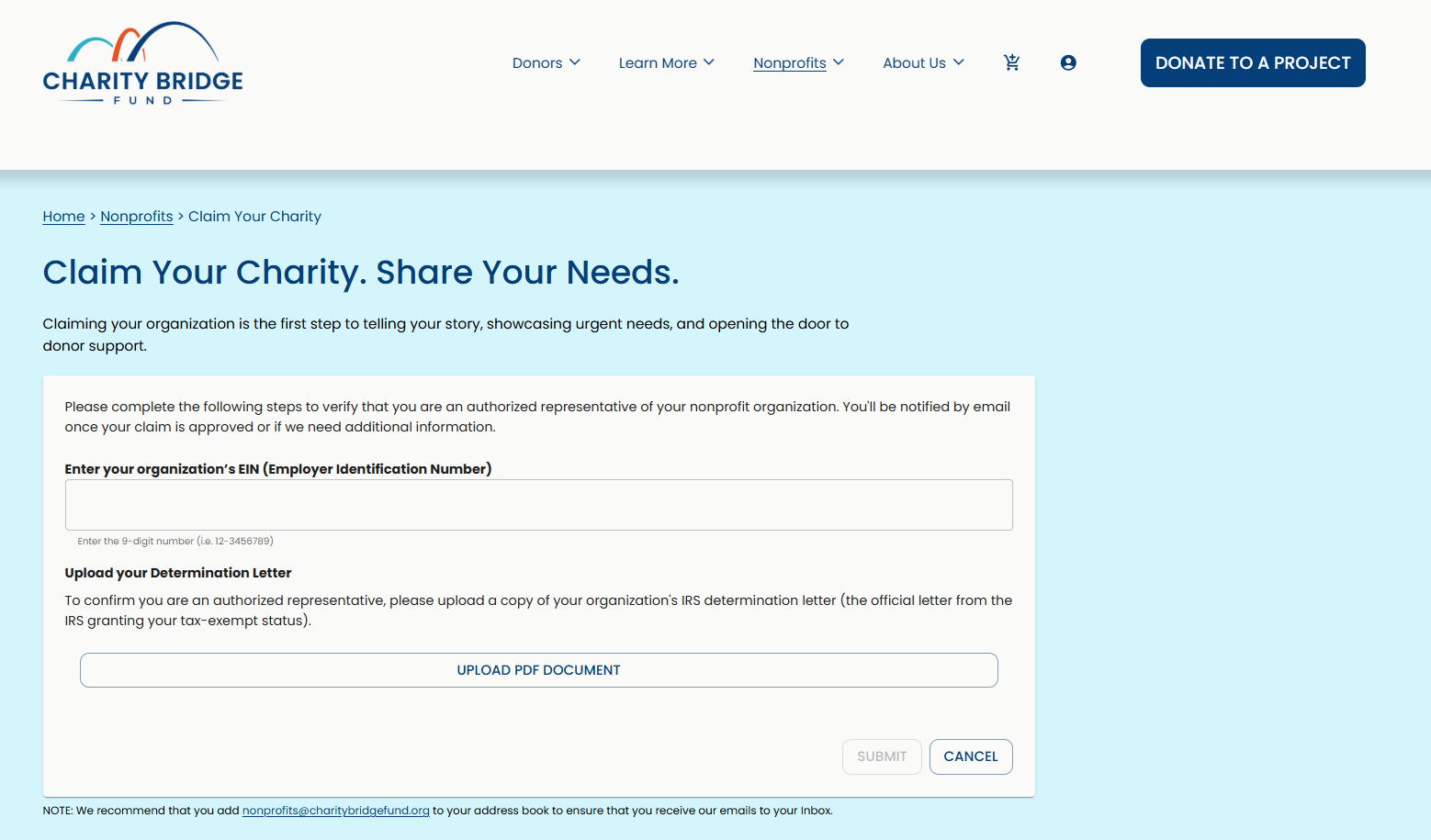
Enter your organization’s Tax ID (EIN) carefully.
Upload your IRS Determination Letter in PDF format.
Click on Submit.
You should see a confirmation message indicating that the file was received, which appears as a green pop-up in the bottom-right corner of the screen.
What Happens Next?
After submitting your claim:
We verify that the EIN and determination letter match the organization’s IRS records.
After review, your claim will be approved, declined, or remain pending if additional review is needed.
If the claim is approved, your charity will automatically become active in your account. No additional activation step is required.
After Your Charity is Approved
Once your organization is verified, you can:
Manage your charity profile
Start receiving and tracking donations
Helpful Tip: To avoid delays in verification, double-check your EIN before submitting, upload a clear and legible PDF, and ensure your determination letter is valid and current.
FAQ
Do I need to claim my charity to create projects?
Yes. Claiming your charity verifies your organization and unlocks the ability to create and manage projects.
What if my EIN is not recognized?
Your organization may not be eligible or may require manual verification. Contact support for assistance.
How long does verification take?
Most claims are reviewed quickly, often within the same day. Processing time may vary by case, but reviews generally do not take longer than 48 hours. You will receive an email once your claim has been reviewed.
Can I edit my submission after submitting?
No. If you made a mistake, please contact support.
Claiming your charity is a required step to access nonprofit tools on Charity Bridge Fund, and completing the process accurately ensures a smooth verification and faster approval.