

Create Your Account
Step 1: Go to the Account Page
Navigate to the My Account Page.
Click “Create Account.”


Step 2: Enter Your Email and Password
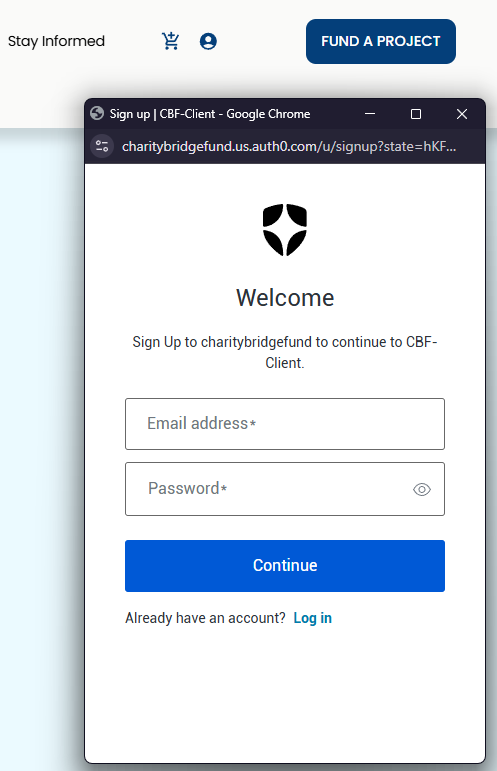
In the pop-up window:
Enter your email address
Create a secure and set a password.
Click continue and proceed.
Step 3: Allow Profile Access
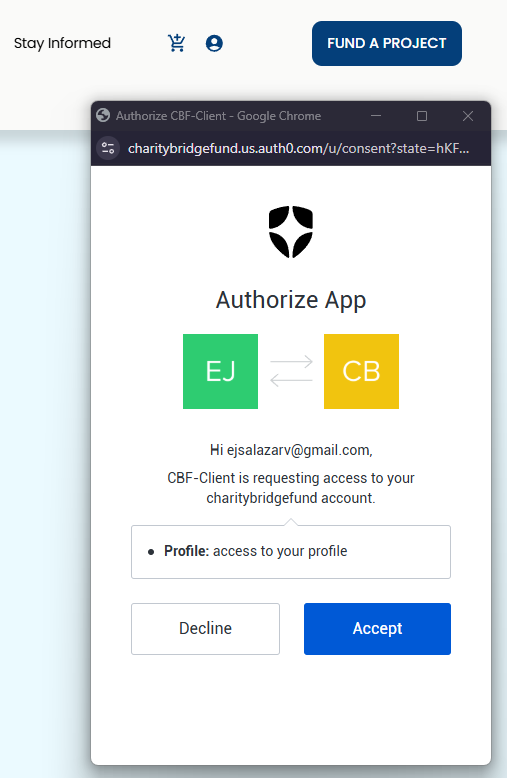
In the next screen, allow access to your profile to continue the setup process.
Step 4: Verify Your Email
Check your inbox for an email from Charity Bridge Fund.
This may take a few minutes
Check your spam or junk folder if you do not see it
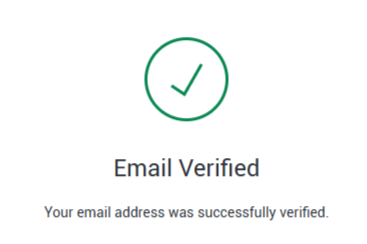
Click the verification link in the email. You’ll see a confirmation message once your email is verified.
Step 5: Log In to Your Account
Return to My Account and log in using your new credentials.
You will be redirected to your Account Dashboard.
Set Up Your Profile (Recommended)
If you represent a nonprofit organization:
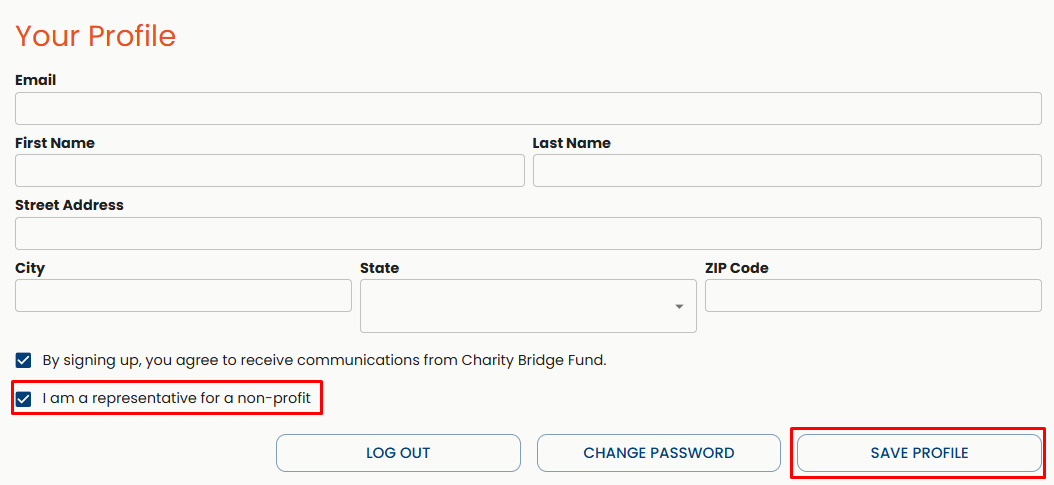
Go to My Account and find the "Your Profile" tab
Enter your name and address
Select the checkbox: “I am a representative for a non-profit.”
Click Save Profile
This ensures you receive relevant updates, including funding opportunities, partnerships, and nonprofit resources.
Congratulations! Your account is now set up. You can access your dashboard to manage your profile, donations, and nonprofit activity.
FAQ
Why did I not receive the verification email?
It may take a few minutes to arrive. Check your spam or junk folder. If you still do not see it, double-check that the email address is correct and try resending the verification email.
Can I create an account without verifying my email?
No. Email verification is required to activate your account and access your dashboard.
What should I do if the verification link expired?
Return to the login page and request a new verification email.
Do I need to select nonprofit representative?
No, but it is recommended if you are part of a nonprofit. This allows access to relevant tools and communications.