
Overview
Keeping your Charity Bridge Fund account secure is essential for protecting your organization, preserving continuity, and maintaining donor trust. This guide explains how individual accounts work, how team members collaborate on the same charity, how charities and projects connect inside the platform, and what to do when access needs change.
Why individual accounts matter
Every person on Charity Bridge Fund should use their own account. This keeps access secure, creates a clear record of who made changes, and helps your team avoid disruptions when staff or responsibilities change. Shared logins may seem convenient, but they make it harder to manage accountability, update access safely, and protect your organization over time.
Password and login security
Use a strong, unique password for your account. Your password must include:
At least 8 characters
At least 3 of the following:
Lowercase letters
Uppercase letters
Numbers
Special characters
For stronger account protection, follow these practices:
Do not share login credentials with teammates
Change your password if you suspect unauthorized access
Use secure devices and trusted networks when logging in
Keep your email address current so you can recover access if needed
How accounts connect to charities
Every user begins with a personal account tied to their own email address. Once your account is created, you can request access to a nonprofit by completing the charity claim process. After your claim is approved, that charity appears in your dashboard, and you can begin managing its profile, projects, and settings.
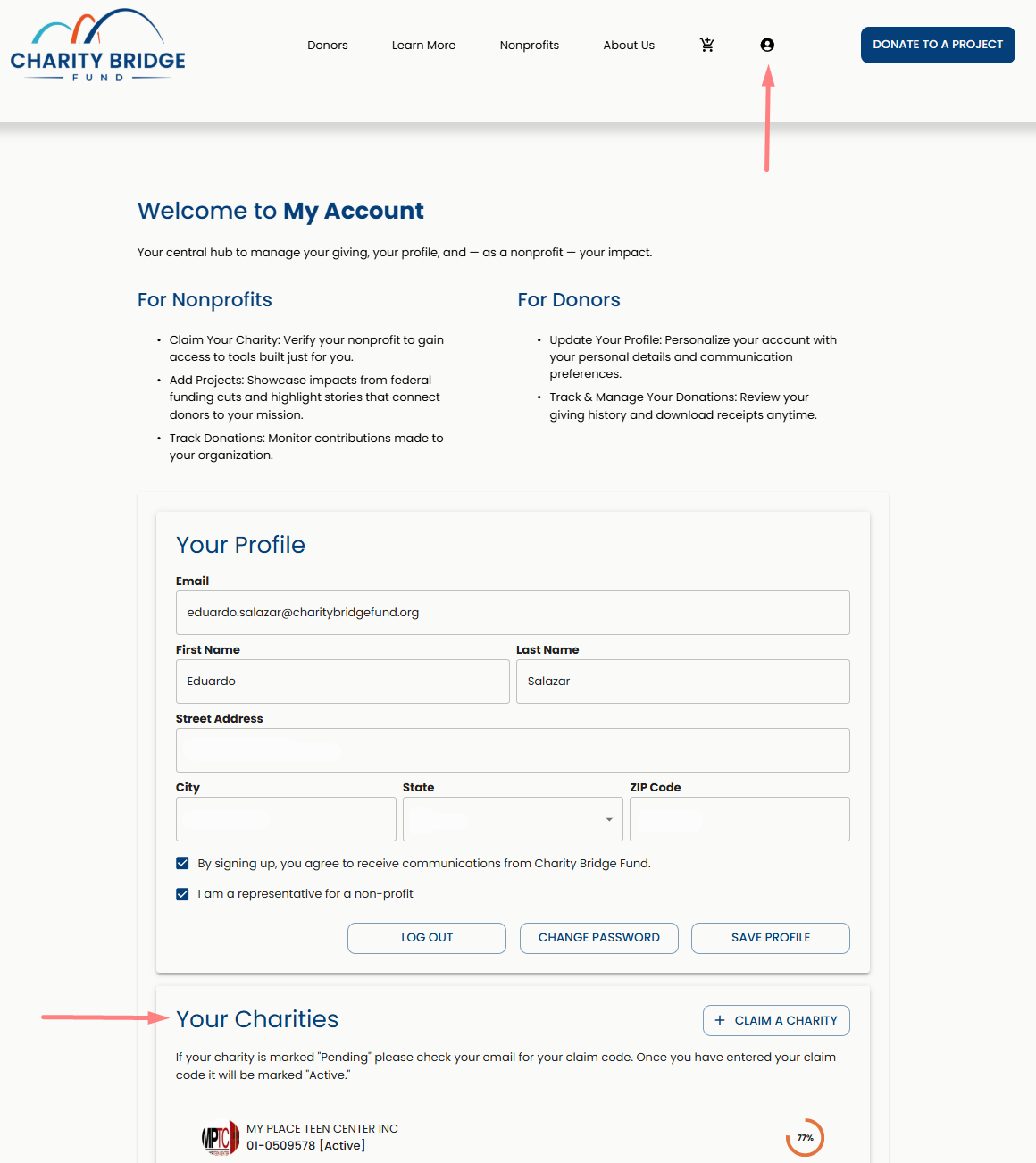
Your account is personal, but your access can extend across one or more verified charities. This gives nonprofit teams a secure way to collaborate without sharing credentials.
Claiming a charity
To gain access to a nonprofit, you must complete the claim process and use your own unique claim code. Claim codes are tied to the account that requested them, are single-use, and cannot be shared or reused by another teammate.
For full claim instructions, check the following article:
How team collaboration works
One charity, multiple users
Multiple verified users can manage the same nonprofit through their own accounts.
Shared visibility
Changes made by one verified teammate are visible to others who also manage that charity.
Individual accountability
Each user logs in separately, which helps maintain a clear and secure access structure.
No shared login required
Team collaboration should happen through individual accounts, not a shared email and password.
Managing multiple charities and projects
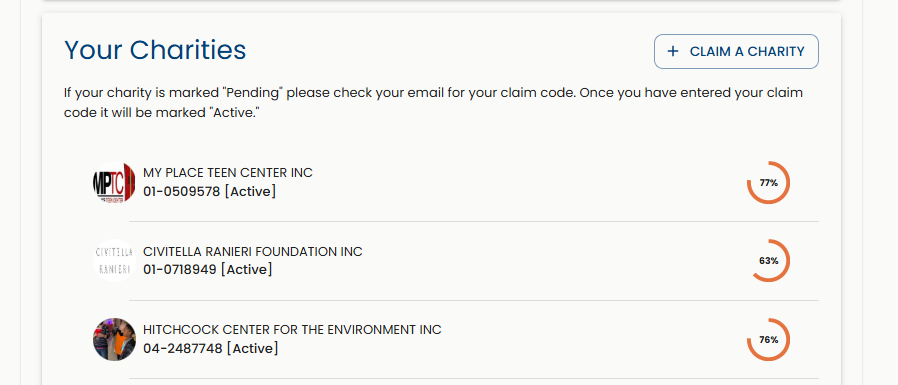
A single user account can manage more than one verified charity. Each organization must be claimed and verified separately, but once access is granted, you can switch between charities in your dashboard.
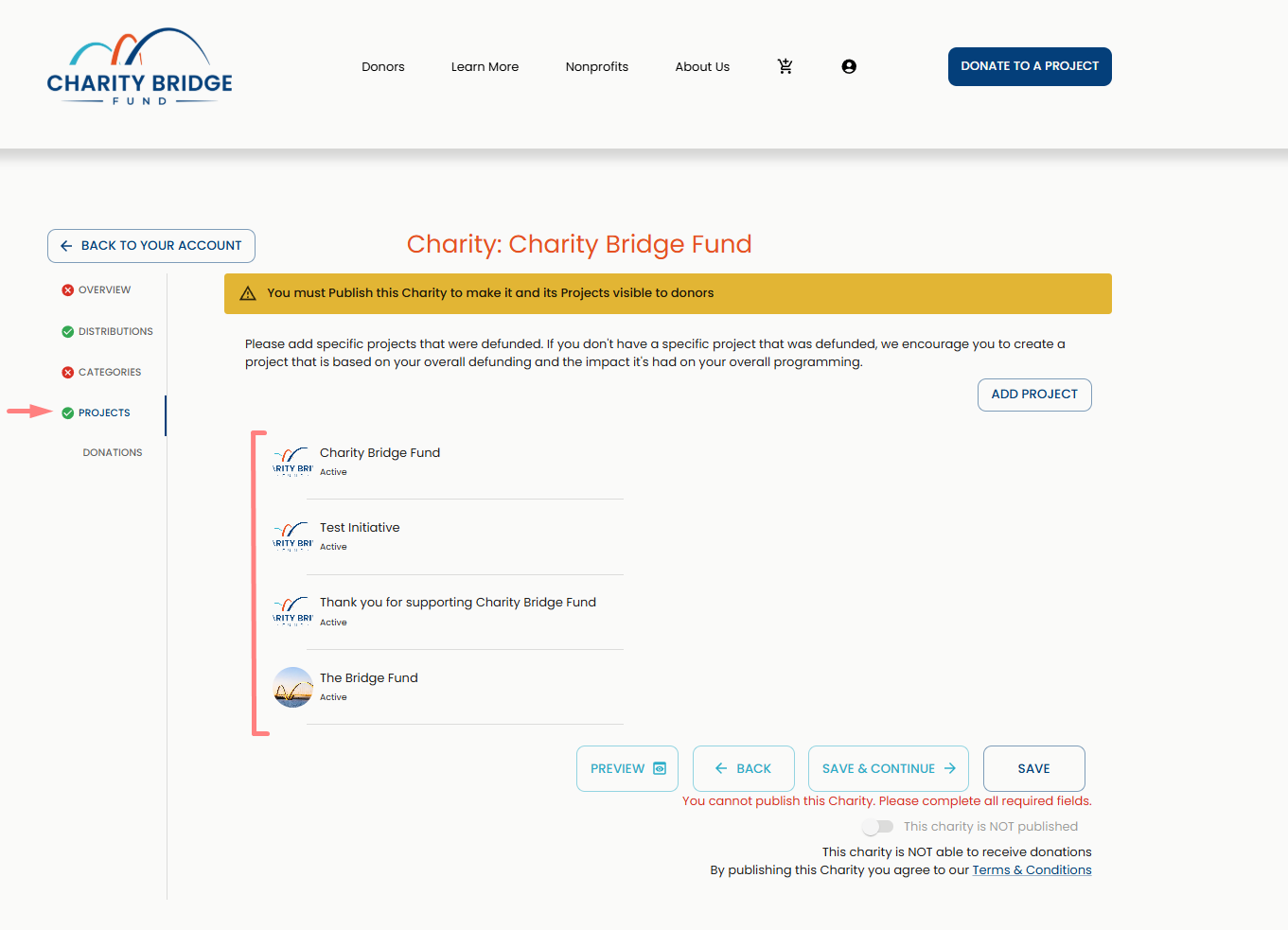
Projects live under a charity profile, not as separate, standalone accounts. Any verified user connected to that charity can work on projects associated with it, including creating projects, editing content, publishing or unpublishing them, and keeping information up to date.
Representative changes and continuity
When staff members leave or roles shift, access remains stable because the charity is not dependent on one shared login.
If a representative leaves
Other verified users connected to the charity will still retain access. No account transfer is required, and the organization’s information remains in place.
If a new administrator joins
The new team member should create their own account, request their own claim code, and complete the claim process individually. Once approved, they can begin managing the charity alongside the rest of the team.
This structure helps protect continuity and prevents a single point of failure in account management.
Account recovery
If you lose access to your account, you can reset your password directly from the account page.
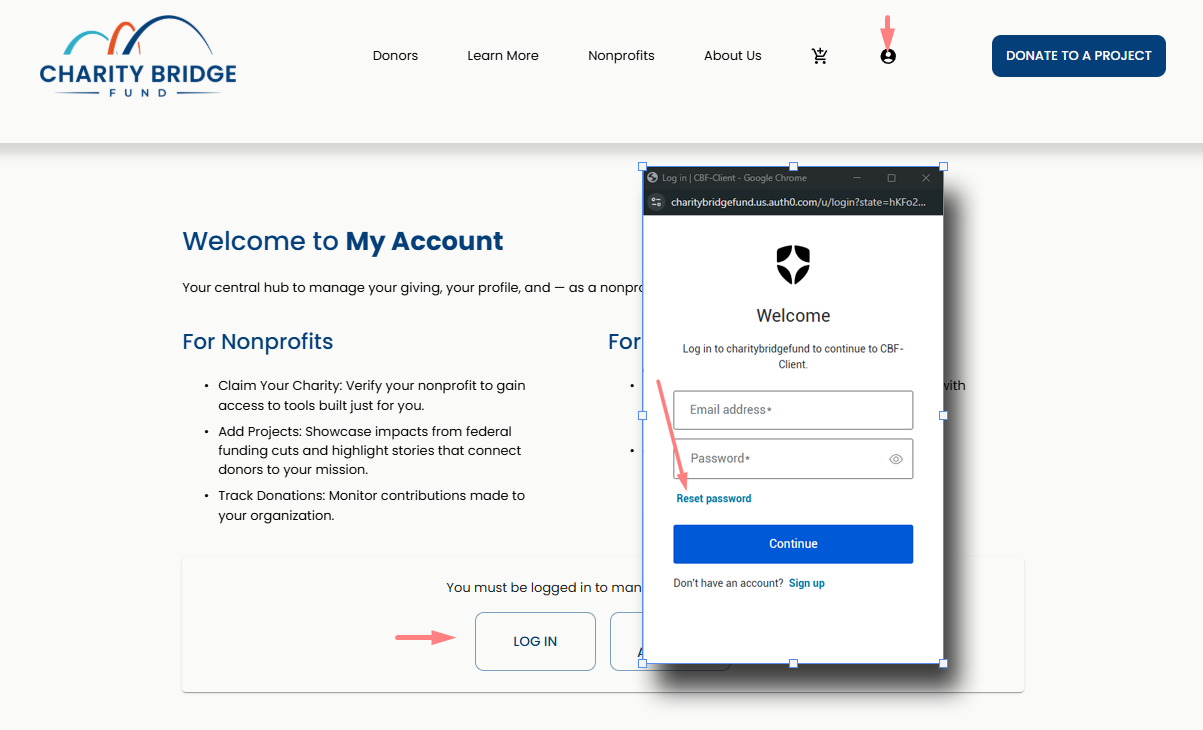
Go to the My Account page to begin the password reset process.
Click Log in to access the account sign-in screen.
Select Forgot Password to start resetting your access.
Type the email address associated with your account.
Follow the reset instructions sent to your email to create a new password.
If you no longer have access to your email
If you cannot access the email address associated with your account, contact support. You may be asked to provide documentation confirming ownership of the account.
Security best practices for nonprofit teams
Make sure every teammate uses their own account
Never share passwords or claim codes
Keep multiple verified users connected to the charity to avoid access gaps
Review charity and project details regularly for accuracy
Keep contact information current so recovery and support requests can be handled smoothly
Update internal team processes when staff roles change
FAQ
Can multiple people manage the same charity?
Yes. Charity Bridge Fund allows multiple verified users to manage the same nonprofit through separate accounts.
Can multiple people use the same login?
No. Each user should have their own account. This improves security, accountability, and long-term continuity.
Do teammates need to share claim codes?
No. Each user must request and use their own unique claim code. Claim codes are single-use and tied to the account that requested them.
Can one account manage more than one charity?
Yes. A single user can manage multiple verified charities from the same account, as long as each one has been claimed and approved separately.
Can all verified users manage projects too?
Yes. Verified users connected to a charity can create, edit, and manage projects under that charity profile.
What happens if our main admin leaves the organization?
Other verified users will still have access. A new team member can create their own account and claim the charity independently.
What if the only representative who had access leaves?
A new representative can still claim the charity and regain access to manage it. The organization’s existing data remains associated with the charity profile.
What should I do if I forget my password?
Use the password reset option on the login page. If you cannot access the email on file, contact support for help.
Strong account management protects both your organization and the people who support it. By using individual accounts, verifying each team member separately, and maintaining clear access practices, your nonprofit can collaborate safely, avoid disruptions, and keep its Charity Bridge Fund presence secure over time.